ASI’s Write-On Handheld for the iPod Touch offers two input methods allowing you to customize the software to better suited the particular needs of your staff.
Input methods are configured using the “Options” command (CMD) within the Write-On Order Entry screen.
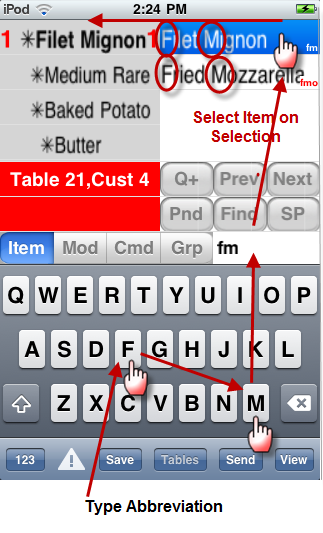
With the increased popularity and use of cell phone texting, your staff may feel more comfortable with an on board keyboard to input information. The Write-On for iPod Touch is ideal for this method. Using this method, the user will type abbreviations for menu items and then select the matching items in the Item Selection window.
The iPod Touch has a built in keyboard you can use in conjunction with the Write-On keyboard input method. The keyboard can be used with both a finger and a stylus depending on your comfort level.
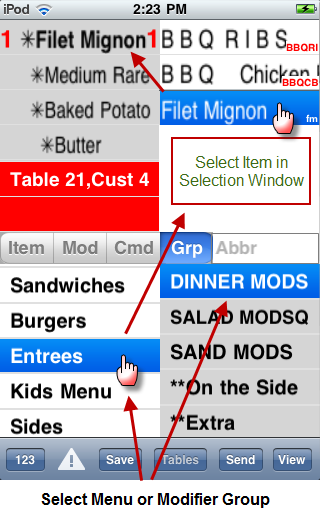
If you have a small menu, you may want to choose the “Group Mode” input method. The group mode method is similar to selecting items at the POS in terms that you must select a menu group and then select the desired menu item in the Selection Window. Forced modifiers will appear after menu item selection. However, if a menu item does not have forced modifiers attached, you will have to select the modifier group the Modifier Group Selection Window containing the desired modifier. You can then select the modifier in the Selection window.
Note: the keyboard is only available for certain functions (i.e. Special Instructions). In addition, the [Item] and [Mod] Command buttons are inactive in Groups Mode.
(continued in Write On Screens)